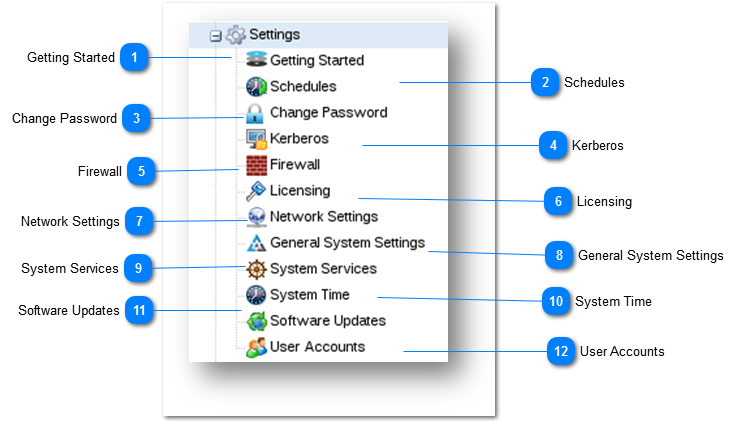
The Settings section allows you to configure core modules such as Schedules, Change Password, Kerberos, Firewall, Licensing, Network Settings, General System Settings, System Services, System Time, Software Updates and User Accounts.
Getting Started
When SoftNAS StorageCenter is first started, the Getting Started helper will be displayed. This helper provides a set of step-by-step, on-screen instructions designed to make initial configuration, setup and use of SoftNAS faster and easier for first-time users.
For more information, refer to the following link.
The Kerberos helps in communicating over a non-secure network to prove identity to one another in a secure manner. You can configure Kerberos from SoftNAS.
For more information, refer to the following link.
The System Settings in SoftNAS allows configuring general system settings through the standard Webmin control panel. SoftNAS uses Webmin to provide robust Linux administration functionality. It provides a rich, extensive set of Linux administration tools for advanced users.
.For more information, refer to the following link.
The System Time module allows you to configure system time and hardware clock. You can also change time zone and synchronize the system time with a remote server.
For more information, refer to the following link.