iSCSI LUNs and Targets
Overview
Sharing block devices via iSCSI is a common way to make network-attached storage available. An iSCSI "LUN" is a logical unit of storage. In SoftNAS, the basic storage LUN is a volume that is accessed as a "blockdevice". Blockdevice volumes have a mount point in the Linux "/dev/zvol" filesystem because they are disk block devices. For example, a storage pool "naspool1" with volume name "lun01" would be named "/dev/zvol/naspool1/lun01" as its mount point. These device references are links to Linux block devices used to access the volume's raw data blocks via iSCSI.
iSCSI "targets" are used by iSCSI "initiators" to establish a network connection. The target serves up the LUNs, which are collections of disk blocks accessed via the iSCSI protocol over the network. A target can offer one or more LUNs to the iSCSI clients, who initiate a connection with the iSCSI server.
For example, VMware or Windows connects to the iSCSI server and retrieves a list of available targets. Then, for each target, the list of its published LUNs are available for use.
To share a volume as an iSCSI target, there are several steps outlined below.
Creating a Volume and Sharing as iSCSI Target
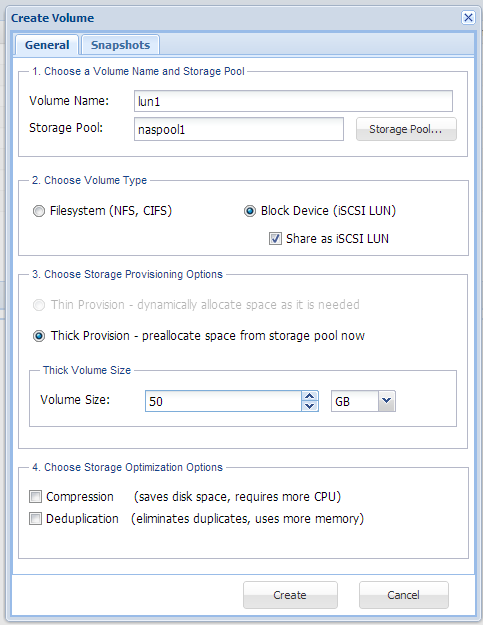
When you create a new volume and choose the "Block Device" option shown below, by default the new volume will be shared as an iSCSI LUN upon creation. The blockdevice volume is automatically added to the default iSCSI target.
Note: To activate the new LUN for use, be sure to "restart" the iSCSI Server (see below for details).
Configuring and Sharing Storage using iSCSI
Begin by selecting "iSCSI LUN Targets" from the left side menu in SoftNAS StorageCenter. The following screen appears:
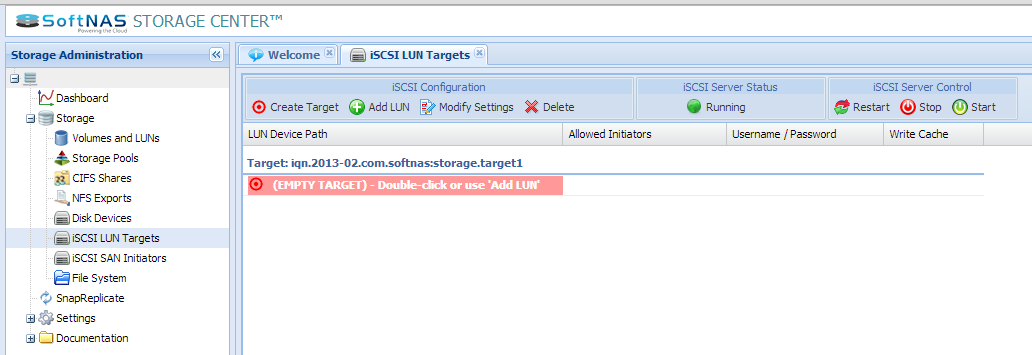
Initially, there is a "default target" already created and ready for use. Each target can have one or more volumes assigned as LUNs (iSCSI logical units). Begin by double-clicking the "EMPTY TARGET" area, or selecting it with the mouse, then pressing the "Add LUN" button.
The following dialog appears:
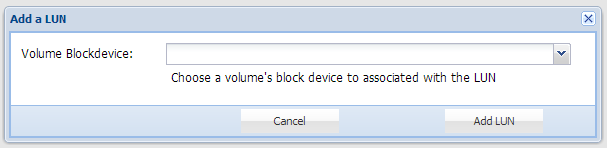
Using this dialog, select a "Volume Blockdevice" by clicking on the dropdown menu and a list of available blockdevice volumes will appear:
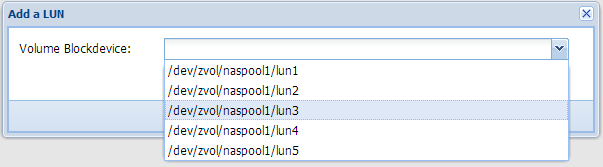
Select the block device associated with the volume you want to share via iSCIS.
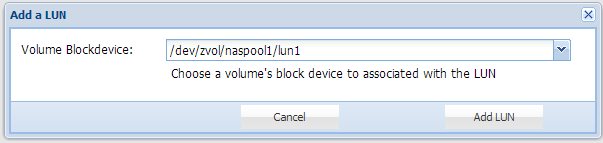
Next, press the "Add LUN" button to link the blockdevice to the iSCSI Target as a LUN. The LUN is created and added to the target.
Another dialog will appear, indicating a restart of the iSCSI service is required for the configuration changes to be placed into service, making the LUN available for connection from an iSCSI initiator client.
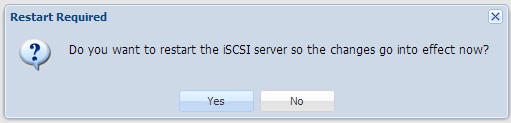
Press "Yes" to make the LUN available now, or choose "No" to defer restarting the iSCSI service until later (if you are making a number of configuration changes at once).
You should now be able to discover and access the iSCSI target and LUN using an iSCSI initiator.
Your new LUN is now shown associated with the target.
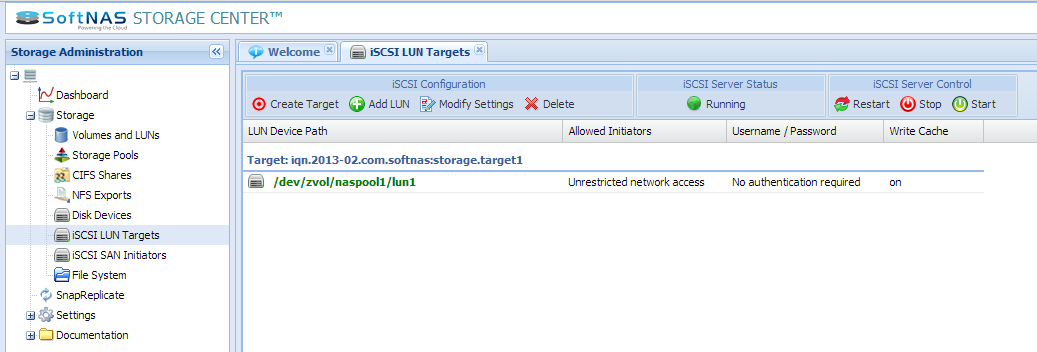
Any number of blockdevice volumes may be published via a single iSCSI target.
However, you can use the "Create Target" button to add new targets as needed.
Target Settings and Options
Each iSCSI target can be configured to restrict access to one or more iSCSI client IP addresses. It can also be configured to require authentication using a user name and password. Finally, there is also a "write cache" option, as shown below.
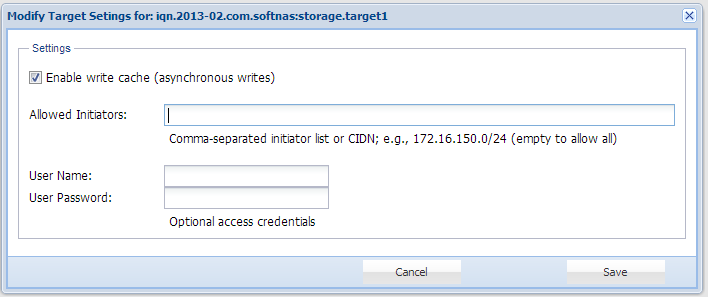
By default, targets have unrestricted access from any IP address. To restrict which iSCSI initiators are allowed to connect to the target, enter one or more comma-separated IP addresses (or DNS names, if using DNS). You can also use CIDN notation to provide a range of network addresses; e.g., 172.16.150.0/24 restricts access to iSCSI initiators in the 172.16.150.* subnet only.
To require a user name and password to access the target, enter a user name and password as access credentials (to delete the credentials, leave the User Name field blank).
The "Enable write cache" checkbox provides the option to cache incoming iSCSI write requests for faster I/O operations, which can be useful if you have applications that perform large amount of small block size writes.
After making the desired setting changes, press the "Save" button. To apply the changes, press the "Restart" button.
Accessing the Target and LUN
To access the iSCSI target and its LUNs, you will make use of an SCSI initiator from another system on the network.
In VMware, here is a good overview video for configuring iSCSI for VMware. Note that you will connect to the SoftNAS IP address ("Dynamic Discovery" is recommended).
You will notice there is a "LUN 0", which is the iSCSI server's RAID controller (which can be ignored). Your LUNs will be numbered 1 through N.