General System Settings
The "General System Settings" provides direct access to the full Webmin administration interface. SoftNAS uses Webmin to provide robust Linux administration functionality.
This is the full Webmin interface, providing a rick, extensive set of Linux administration tools for advanced users.
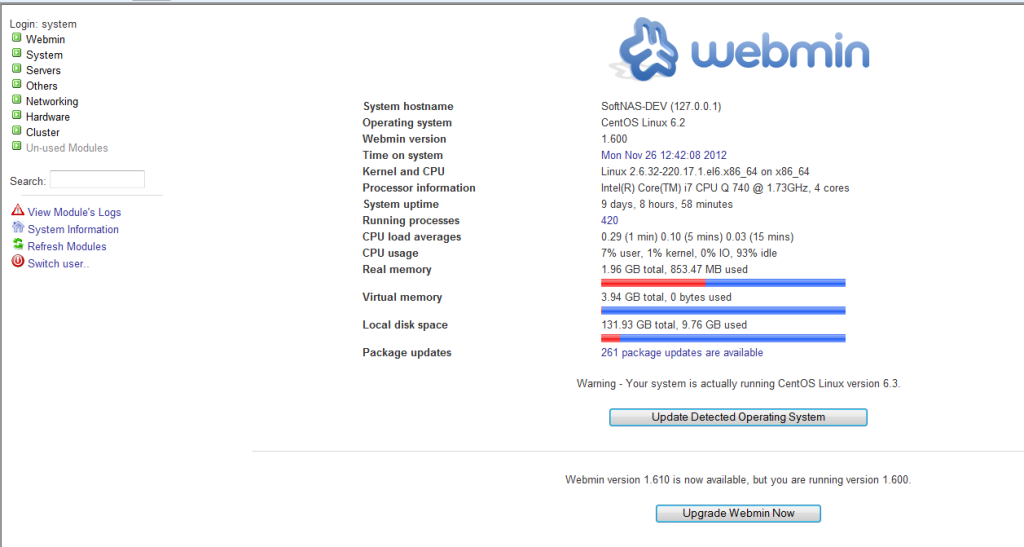
Note the "Upgrade Webmin Now" button. Only upgrade Webmin if you are advised to do so by SoftNAS Support, as upgrades could affect some integration functionality (it's usually best to pick up any Webmin updates when SoftNAS provides an update or upgrade, but please follow the latest SoftNAS Support advice and recommendations).
To use Webmin, click on the menu items on the left side to expose the full feature set available. Additional Webmin add-on modules are available (but are not supported by SoftNAS Support).
Some of the more useful Webmin administration functions include:
-
Log file rotation
-
PAM authentication options
-
Scheduled cron jobs
-
Users and groups
-
Apache webserver administration (SoftNAS uses Apache for StorageCenter user interface)
-
SSH Server (to manage secure shell access, which is also used for SnapReplicate)
For more information on Webmin, please visit the Webmin website.