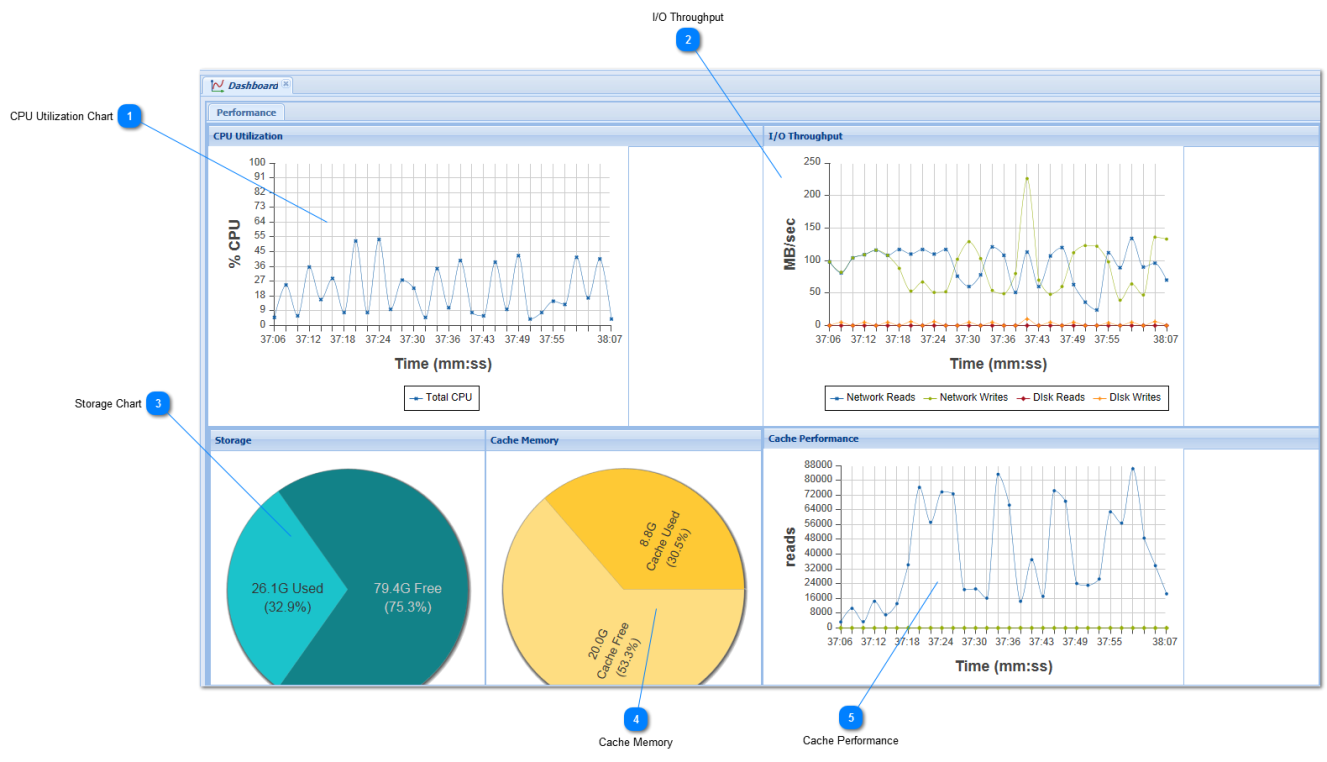
The Dashboard displays a summary of key statistics and performance indicators, as shown below.
 CPU Utilization Chart
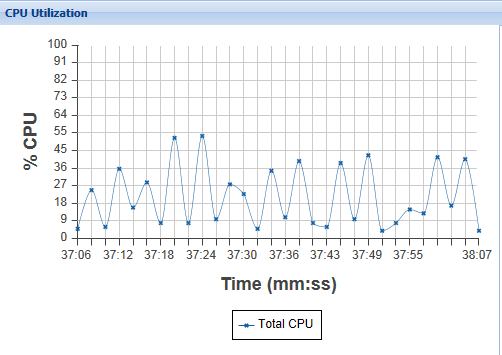
The CPU Utilization chart displays real-time CPU usage information. Use this chart to determine how much the storage processing load is impacting CPU. If you see average CPU utilization above 60%, consider adding more CPU capacity to improve performance and response time. Also, if CPU load gets too high, then the SoftNAS StorageCenter response times may become unacceptably slow.
High CPU utilization may be caused by specifying compression on volumes with high I/O workloads or other heavy I/O workloads. Increasing the number of vCPU (virtual CPU's) assigned to the SoftNAS VM usually resolves CPU workload issues.
|
 I/O Throughput
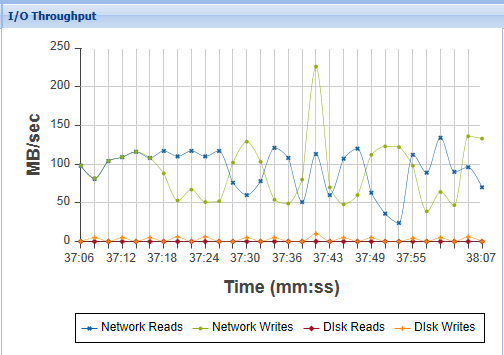
The I/O Throughput chart displays network and disk I/O throughput statistics in MB/sec over time.
Use this chart to observe system input/ouput levels and throughput of the network and disk subsystems.
To highlight a particular chart line (e.g., Network Reads), hover the mouse over the legend label text "Network Reads". This will cause the line chart to become bolded and easier to see.
To disable a particular chart line, click on the legend label text and the corresponding chart line will disappear. Click on it again to restore that chart line.
If you observe a high amount of network I/O and a relatively low amount of disk I/O, that usually means most of the I/O workload is being cached in memory; i.e., the system's cache memory is working well, minimizing the amount of disk I/O required for commonly accessed data.
|
 Storage Chart
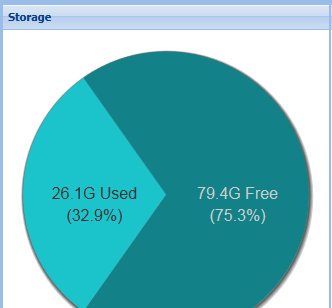
The storage pie chart shows the overall Used vs. Free space of all Storage Pools.
|
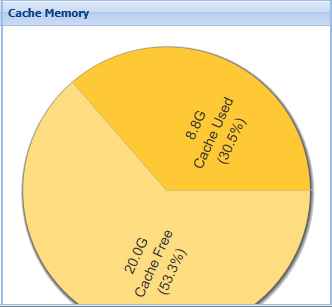
 Cache Memory
The Cache memory pie chart shows how much main memory is allocated to cache, the amount of cache that's unused (free) and the amount that is used (contains active data available for fast read operations).
|
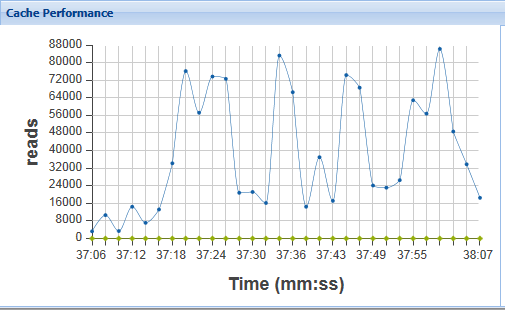
 Cache Performance
This chart shows the number of read operations being serviced from cache memory (instead of being read from disk). In many applications, after applications have been running for a time, the majority of reads will be serviced from cache memory instead of requiring disk read operations.
|
|