CIFS Shares via Samba Windows File Sharing
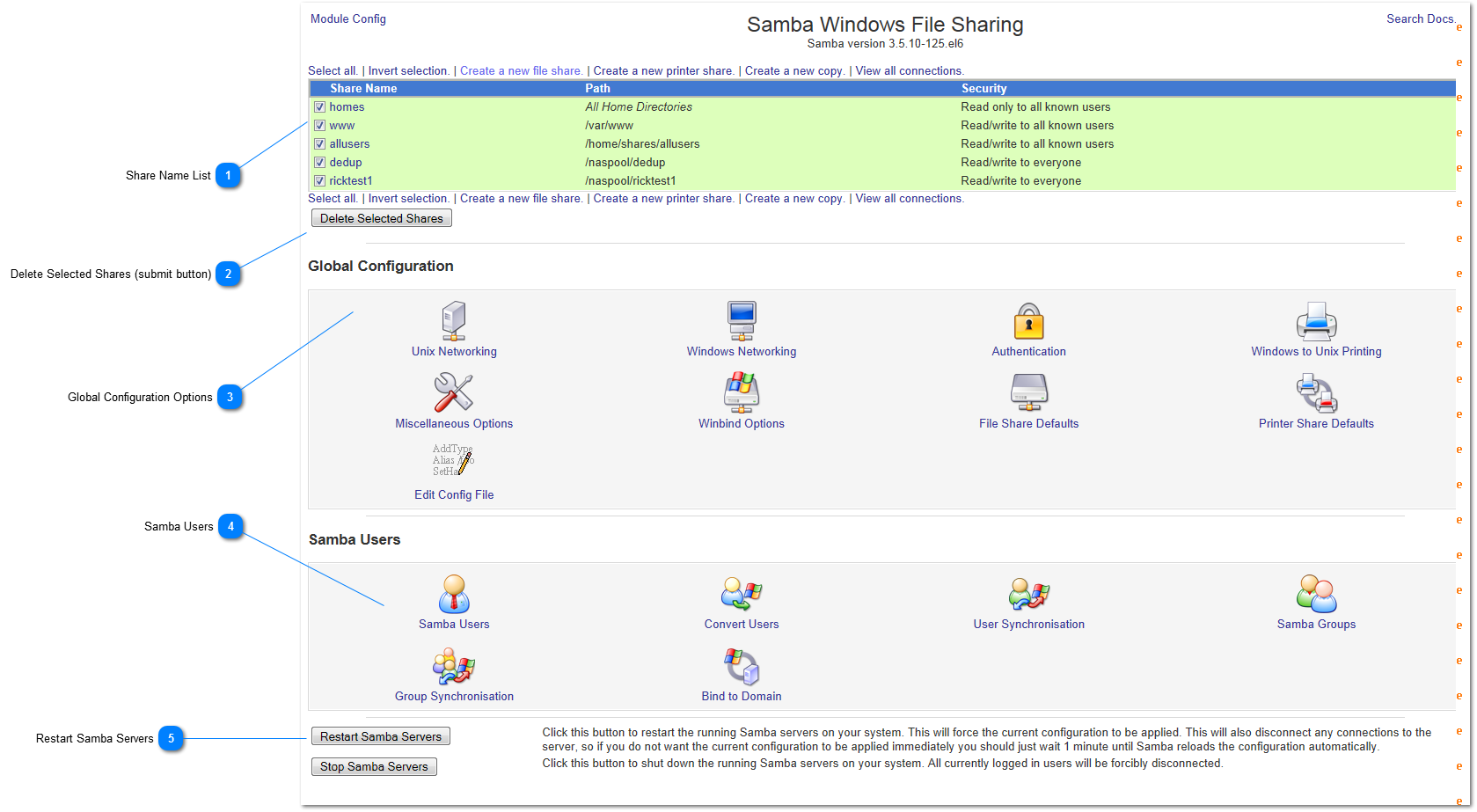
 Share Name List
List of shares. To choose a share(s), select the checkbox associated with the share(s).
Share Name - the name of the share as seen on the network.
Path - the filesystem path in Linux where the share is hosted.
Security - the security access permissions for the share.
|
 Delete Selected Shares (submit button)
Click on this button to delete the selected shares
|
 Global Configuration Options
Global Configuration options affect all shares. Choose one of the icons to configure one of the global functions.
|
 Samba Users
The Samba Users section provides for configuring User accounts, bind Samba to a Windows domain, converting users from Windows to Unix and other group management functions. Unless you bind to a Windows domain, you must map Windows users to corresponding Samba users in Linux.
|
 Restart Samba Servers
Press this button to restart the Samba serveices.
|
|